Explainer
Why Search Console Average Position Is Not a Daily Rank Check
Read Search Console average position without confusing it with a live rank check, using comparable filters, query evidence and a practical reporting example.
 By Abhi Bavishi, , 8 min read
A client searches for a keyword, sees their site in a different place, and asks why your report says “position 8.” Before treating either observation as wrong, check whether they measure the same thing.
Search Console reports performance across impressions, with filters and aggregation that affect the numbers. Average position is an aggregate measure of the topmost result from the property or page under the applicable grouping. It is not a promise that every searcher sees a fixed position. Google's performance report documentation
That distinction matters when an AI assistant turns a dashboard into a confident weekly narrative.
Write the metric's scope into the report
A number without its scope invites a misleading comparison. Record:
- The property and search type.
- The date range and comparison period.
- Any query, page, country, device, or appearance filters.
- Whether the figure is an aggregate or a specific segment.
- Missing data and changes in how the report was collected.
RankParse's documented ranking view uses connected search-engine data. For Google, those positions come from Search Console, rather than a fresh search performed for every keyword. Preserve that distinction when presenting the result. RankParse rank-tracking setup
If you need a result observed for one query, device, and location, collect that observation separately and label its conditions. Do not silently replace the aggregate measure with it.
Watch the mix of queries
Here is a deliberately simplified example, not customer data. Both periods describe the same page, country, device, and search type. The two query groups are disjoint, and the example assumes complete impression data.
| Query group | Period 1 impressions | Period 1 average position | Period 2 impressions | Period 2 average position |
|---|---|---|---|---|
| Established queries | 100 | 3 | 100 | 3 |
| Newly appearing queries | 0 | — | 900 | 20 |
| Combined | 100 | 3 | 1,000 | 18.3 |
For the second period, the impression-weighted calculation is:
(100 × 3 + 900 × 20) ÷ 1,000 = 18.3The overall average moved from 3 to 18.3, but the established query group did not lose position. The page received ten times as many impressions. Calling this a ranking collapse would misread the change in query mix.
Reverse the example and the trap reverses too: losing all 900 low-position impressions would improve the average to 3 while reducing visibility. Neither direction establishes whether the page gained valuable traffic or conversions.
Do not average the two group averages as (3 + 20) ÷ 2 = 11.5. That gives a small group the same weight as a group with nine times as many impressions. Also do not expect to reconstruct every Search Console headline metric from displayed query rows: omitted queries and aggregation differences can prevent an exact reconciliation. Keep the filters and export limitations with the calculation. Google's aggregation and data limitations
A useful report for this fictional example would say:
Average position worsened from 3 to 18.3 as new queries added 900 impressions at lower positions. The established query group remained at position 3. We will check whether the newly visible queries match the page's purpose, then review clicks and conversions before recommending a content change.
That paragraph separates the calculation, interpretation, and next decision. It leaves out a cause the evidence cannot establish.
Draw the query mix before diagnosing a drop
The weighted example becomes easier to explain when the impression mix is visible. The established-query group contributes the same 100 impressions at position 3 in both periods. The additional 900 impressions at position 20 change the aggregate.
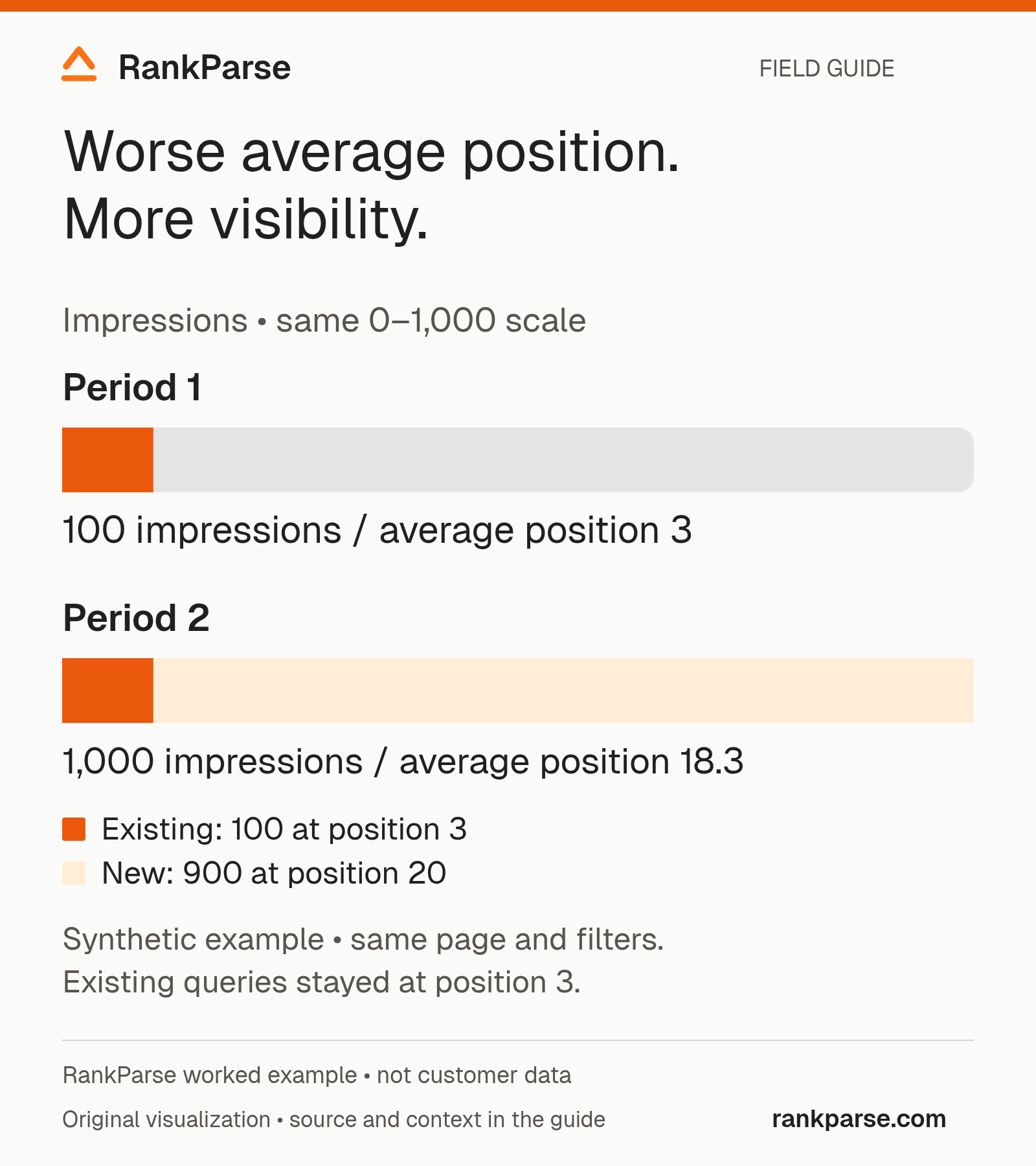
Download the source notes and calculation inputs (CSV).
A report that includes only “average position declined” omits the mechanism. A report that includes only “impressions increased” omits whether those impressions are useful. Show both observations, then ask whether the additional queries match the page's intended audience.
This example uses complete, disjoint groups so the arithmetic is transparent. Real exports can have missing rows or aggregation differences. Use the calculation to explain the principle, then verify whether your actual data supports the same interpretation. Do not manufacture an exact reconciliation by treating unavailable rows as zero.
Build comparable periods before comparing metrics
Choose the page or property first. Record the exact filters and search type. Then choose comparison periods that fit the question. A weekly operational report may need matching weekdays, while a seasonal business may also need a year-over-year view. Neither comparison automatically controls for every outside influence.
Keep the newest incomplete data separate from settled reporting periods. If the data source flags a period as preliminary, preserve that flag in the report. A partial day compared with a complete day can produce a dramatic decline with no underlying business event.
Create a small scope block above the analysis:
Property: [verified property]
Page or segment: [exact filter]
Search type: [selected report type]
Country / device: [filters or all]
Current period: [start and end]
Comparison period: [start and end]
Retrieved: [timestamp]
Limitations: [preliminary data, omitted rows, changed filters]
The bracketed fields are a reusable reporting template, not observed account data. Fill them before giving the report to an assistant. If you cannot reconstruct the prior period's filters, label the comparison uncertain and obtain a comparable export before making a strong recommendation.
Connect clicks, impressions, and CTR without inventing a cause
Clicks can change because impression volume changes, because the click-through rate changes, or because both change. A useful first pass separates those observations before discussing why they occurred.
Consider a second synthetic example with the same page and filters. Period A has 1,000 impressions and 50 clicks, giving a 5% CTR. Period B has 2,000 impressions and 60 clicks, giving a 3% CTR. Clicks increased by 20%, even though CTR fell by two percentage points.
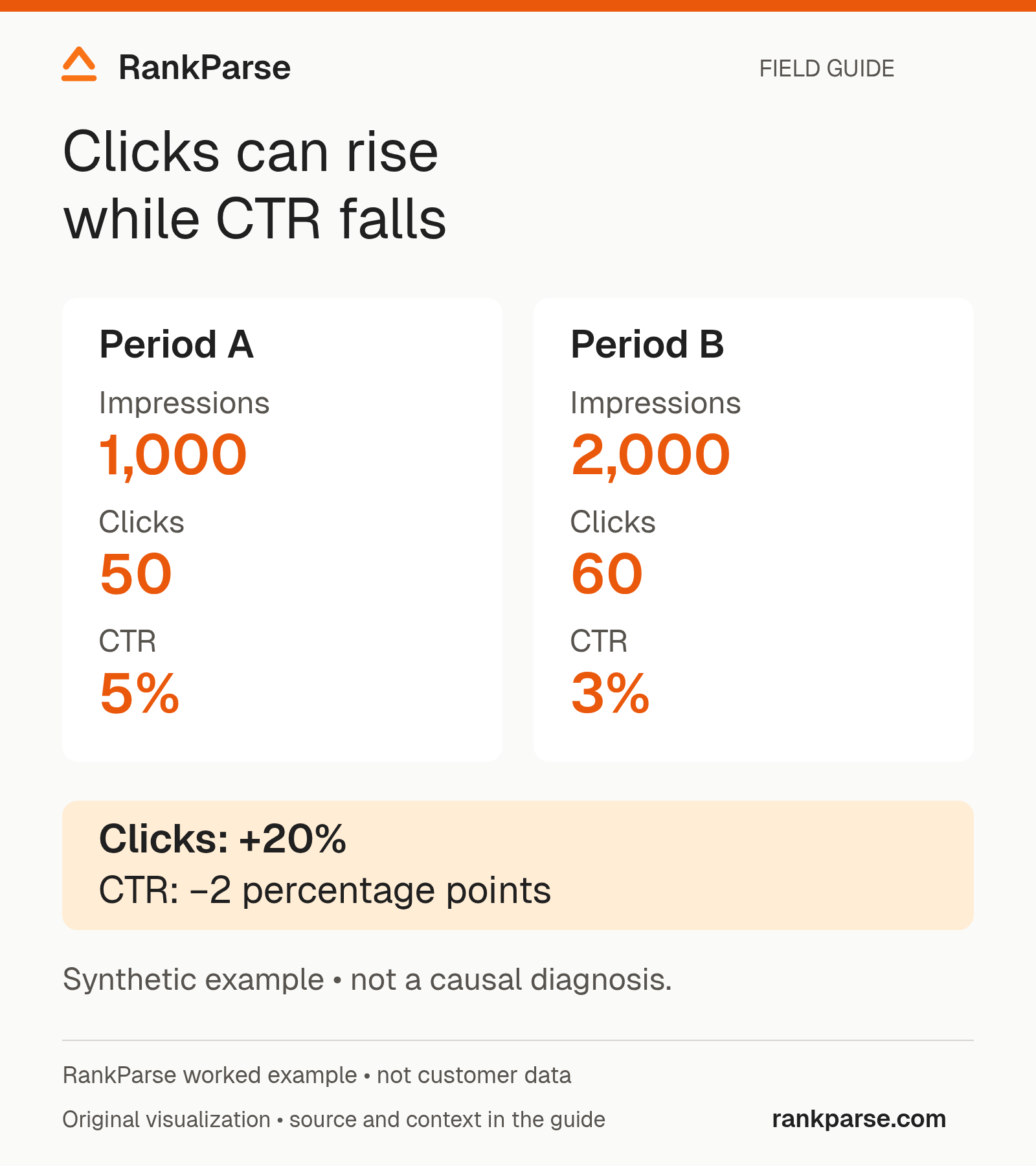
The lower rate does not, by itself, prove that the title became worse. The page may be appearing for additional queries with different intent or at different positions. Segment the data before selecting a copy change. Equally, the higher click count does not prove more business value: conversion quality is a separate question.
Keep percentage changes and percentage-point changes distinct. Moving from 5% to 3% is a two-percentage-point decline, or a 40% relative reduction in the rate. Calling it a “2% drop” leaves the reader unsure which calculation you mean. State the two endpoints whenever space allows.
Investigate one segment all the way through
Choose a meaningful segment rather than listing every fluctuation in the export. A commercial query group may deserve attention because it connects to a business priority; an informational group may matter because it supports a common customer question.
Start by checking whether the landing page stayed the same. Then compare impressions, clicks, CTR, and position under consistent filters. Look for changes in the mix of queries and devices before assigning a page-level explanation to the whole property.
Inspect the current page when a technical or editorial change is plausible. Record what the page returns now, which title and canonical it exposes, and whether a redirect or indexing instruction changed. Current page evidence helps test a hypothesis, but it does not reconstruct the page's past state. Use release records or preserved observations when history matters.
Finish with a bounded recommendation. “Review the title for this query group after comparing dated result observations” is actionable. “Rewrite the entire site because rankings dropped” is not supported by one aggregate number.
Write the executive paragraph last
A useful summary has three parts: the observation, the most defensible interpretation, and the next action. Draft it after inspecting the segments so it does not force the analysis to fit an early story.
For the second synthetic example, write: “Clicks rose from 50 to 60 while impressions doubled. CTR fell from 5% to 3%. We will compare the new query mix and conversion quality before changing the page title.” That paragraph makes the improvement and the uncertainty visible together.
Attach the scoped export and the calculation so a colleague can reproduce the statement. If a stakeholder asks why their manual search looks different, record their query, location, device, and time as a separate observation. It can be useful context without replacing the aggregated report.
Give the agent a reporting boundary
Ask the assistant to describe observations first, then possible explanations, then a decision worth investigating.
For example: “Overall average position worsened, but we have not yet compared query mix” is a defensible observation. “Google demoted the site because of AI content” is a causal claim that those numbers do not establish.
Have the assistant retain the same filters across comparison periods and flag any change it cannot reconcile. For the web OAuth connector, supply approved performance exports; direct Search Console tools use the API-key endpoint with the integration connected. MCP access differences
End with a specific investigation
Choose one page or query segment whose change matters to the business. Identify the evidence needed to decide whether to update content, resolve a technical issue, or continue observing.
The report should make that next step easier. It should not require a client to decide which of two differently scoped numbers is “the real ranking.”
Use the SEO reporting workflow to connect these observations to a broader action plan.
Sources reviewed October 20, 2026. The examples describe possible measurement effects, not a measured customer result.
Keep reading
Related posts
Explainer, 9 min read
Google AI Content Rules in 2026: The Changes That Matter
Abhi Bavishi, Oct 20, 2026Explainer, 15 min read
Evaluate Backlink Quality with AI and Human Judgment
Abhi Bavishi, Oct 18, 2026Explainer, 15 min read
How to Prioritize SEO Work with Claude or ChatGPT
Abhi Bavishi, Oct 18, 2026
Start free
Let your agent take the first pass.
100 free credits. No card. No seats.