Deep Dive
SEO MCP Tool Counts: We Audited Our Own 80-Tool Catalog
Our documented MCP catalog lists 80 tools, but browser OAuth exposes 25. See the breakdown, four placeholders, and how to evaluate access for a real SEO task.
 By Abhi Bavishi, , 9 min read
RankParse's API-key MCP catalog lists 80 tools. Its browser OAuth connector exposes 25. Four entries in the larger catalog are documented placeholders.
Those numbers describe the same product. They explain why an SEO MCP comparison can look precise and still leave a buyer unable to answer a basic question: will this connection do the job I need?
We reviewed our own published tool tables to show what a headline count includes. This is a documentation audit, with a downloadable count sheet, rather than a runtime benchmark. The publisher is also the product being examined.
Reconstructing the 80-tool total
The following counts come from the category table in RankParse's MCP documentation, reviewed October 20, 2026. The CSV preserves the categories, endpoint availability, and source.
| Documented group | Tools | Browser OAuth | API key |
|---|---|---|---|
| Link graph and domain intelligence | 14 | Yes | Yes |
| Live page and site checks | 5 | Yes | Yes |
| Platforms | 2 | Yes | Yes |
| Account and bulk lookups | 2 | Yes | Yes |
| Websites and inbox proposals: reads | 2 | Yes | Yes |
| Additional SEO tools, including placeholders | 5 | No | Yes |
| Rank tracking | 7 | No | Yes |
| Google Search Console | 18 | No | Yes |
| Google Ads | 3 | No | Yes |
| IndexNow | 2 | No | Yes |
| Gmail outreach | 10 | No | Yes |
| LinkedIn through Zeekeo | 5 | No | Yes |
| Inbox actions | 5 | No | Yes |
| Total | 80 | 25 | 80 |
Download the dated catalog count sheet.
The first five groups sum to 25. The other eight sum to 55, so 55 of the 80 catalog entries are outside the browser OAuth connection. That is an access distinction, not a failure rate: the API-key endpoint serves a different set of workflows.
The documentation also identifies four placeholders: get_internal_links, get_link_velocity, get_new_links, and get_lost_links. They return not_yet_available. Subtracting them leaves 76 entries not labelled as placeholders. It does not establish that 76 tools will succeed for every account or every target. Unavailable endpoints
The missing denominator is the connection you will use
Suppose a content marketer uses Claude or ChatGPT in a browser and wants to know why an article lost clicks. The 18 Search Console tools in the broader catalog do not become available merely because the marketer connected browser OAuth.
The marketer needs either an approved performance export or the API-key endpoint with Search Console connected. Meanwhile, public page checks remain useful through the browser connection. The workflow crosses an access boundary that the number “80” conceals.
Now suppose an agency wants to identify links gained last week. The presence of get_new_links in a catalog is not sufficient: that entry is documented as a placeholder. Choosing a larger catalog has not supplied the missing historical comparison.
These examples point to a practical buying question: which required steps are executable through this exact endpoint, with this account's integrations?
Four questions to ask before comparing prices
| Intended task | What the count cannot tell you | Evidence to request |
|---|---|---|
| Review a public page | Whether the checker executes JavaScript or reads raw HTML | Documented fetch and extraction behavior |
| Investigate lost clicks | Whether this connection has access to the property | Endpoint support, account authorization, and a dated report |
| Monitor newly acquired links | Whether historical comparison is implemented | A supported response with the comparison periods |
| Send outreach | Whether the tool is a draft operation or a sending action | Required approvals, sending identity, and action semantics |
A provider with fewer tools may satisfy all four requirements for your workflow. A provider with more may support useful adjacent work. Start by eliminating missing dependencies; then compare convenience, coverage, and price.
A callable tool can still return the wrong evidence for your claim
RankParse's backlink endpoint illustrates a second distinction. The default importance sort can return aggregated referrer rows. The recent sort returns URL-level records from the available snapshot. These support different statements. Backlink response behavior
An aggregated row can help identify a referring domain. It cannot substantiate a claim that a particular article currently contains a link. Even a URL-level snapshot record needs a live check if today's placement matters.
An evaluation should therefore record the source URL, dataset date where available, retrieval time, sample limit, and any partial response. A successful HTTP response is one check. An answer supported by the right evidence is another.
Visualize access and implementation separately
Two questions often get collapsed into one: does my connection expose this tool, and does the documented tool perform the operation? The catalog audit answers them using different evidence.
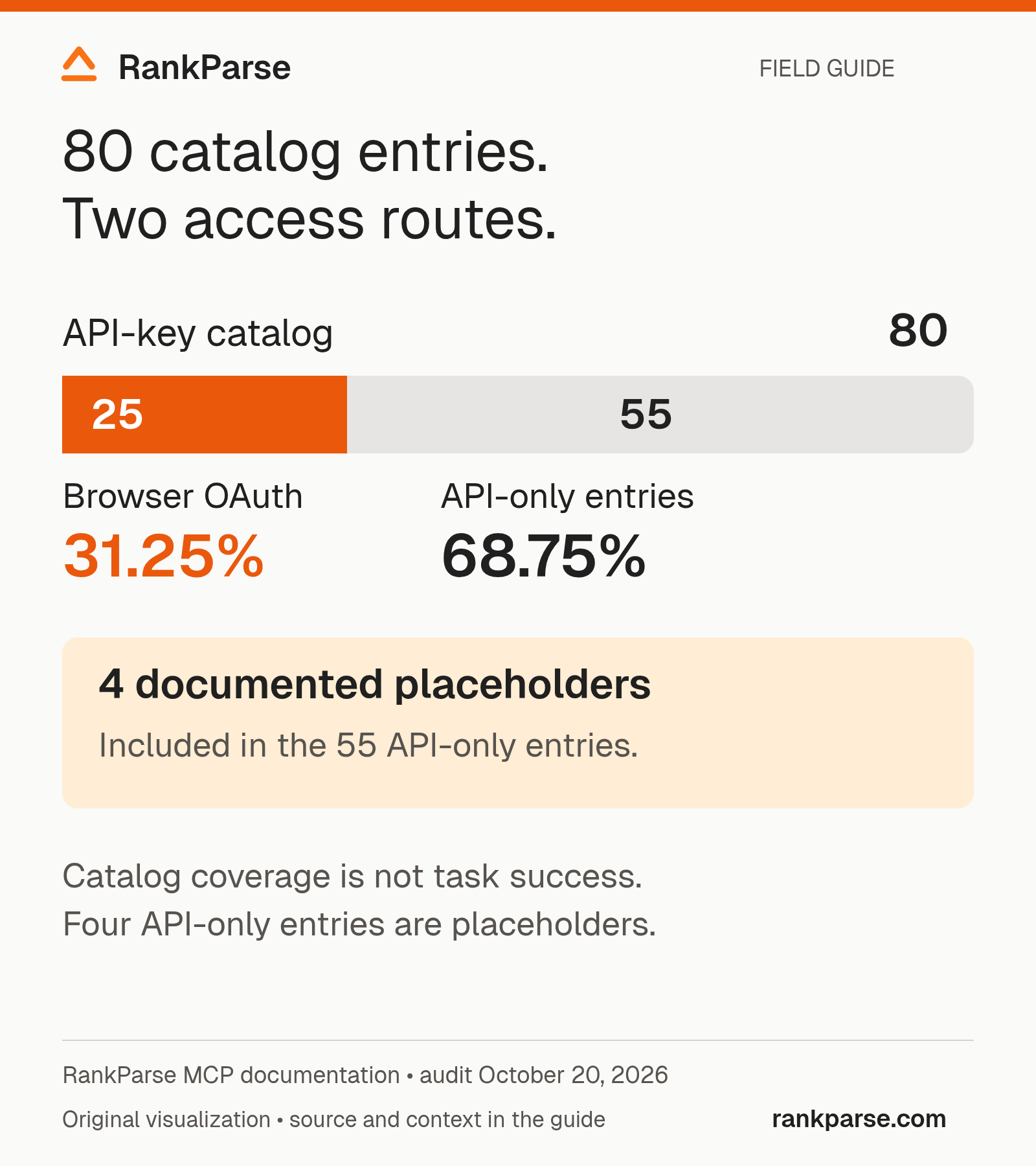
Download the source notes and calculation inputs (CSV).
The browser subset is 25 of 80 entries, or 31.25% of the API-key catalog count. The remaining 55 entries are 68.75% of that count. These derived percentages describe catalog coverage only. They are not percentages of SEO work a browser agent can complete, because tools differ in scope and one task may need several tools.
The four placeholders belong to the additional SEO group outside the browser subset. Keep them visible in comparisons rather than silently treating them as completed features. Conversely, do not label every API-only entry “missing”: an API-key client may have access once its account and integrations are configured.
Map a real assignment before choosing a server
Consider an illustrative agency assignment: review a client's declining article and propose one next action. The analyst is responsible for the recommendation; the agent helps collect and organize evidence.
Start with a task map. The first step needs performance history. The second needs a current page inspection. The third may need documented product facts or a manual review of the article. The final deliverable must connect an observation to a decision without overstating the cause.
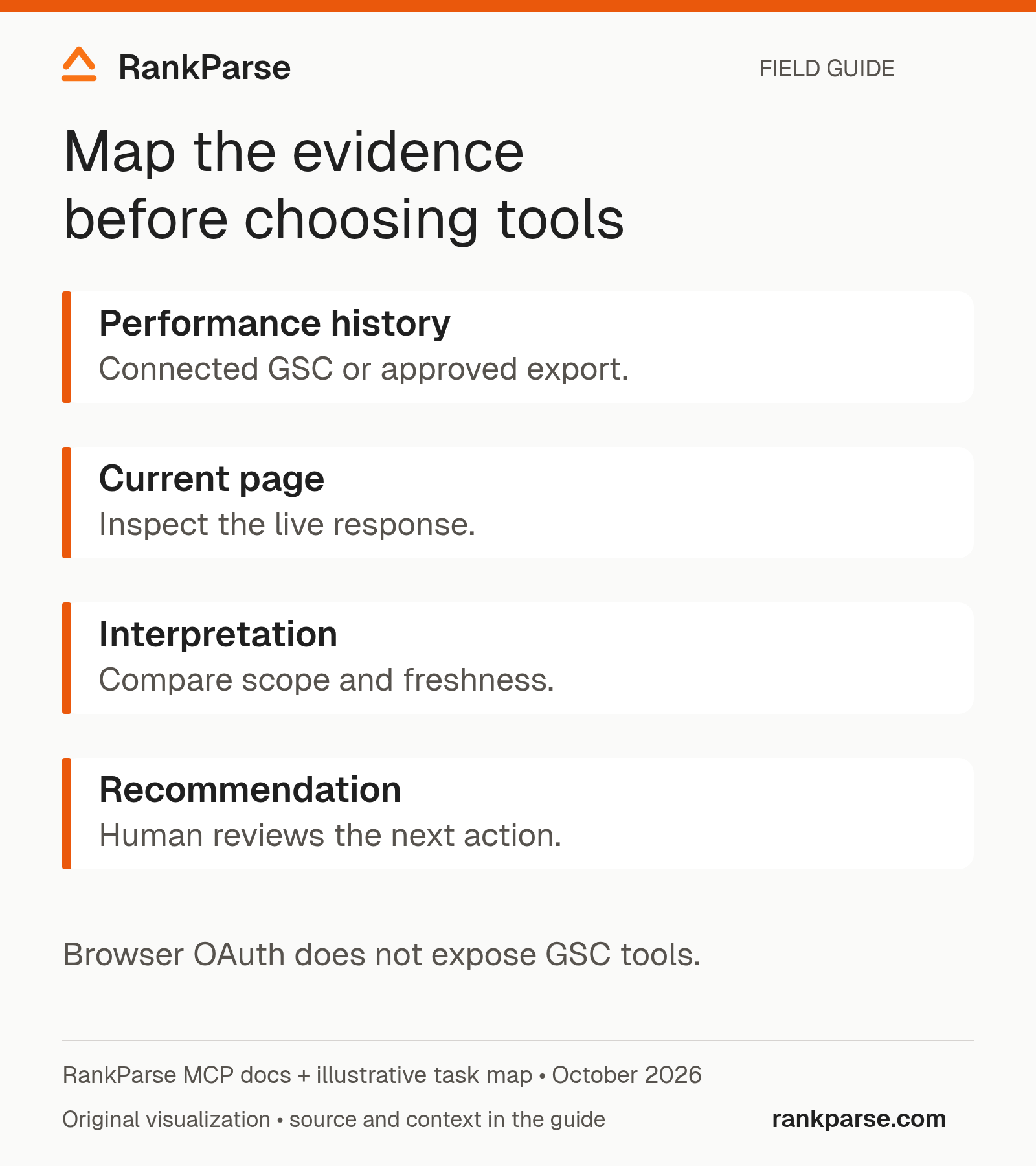
Write down the boundary at each step. Public page access is different from authorization to inspect a client's Search Console property. A successful connection to the MCP server does not imply that all third-party integrations are connected. A returned page title does not establish that the agent saw every rendered element.
This task map is also a useful way to compare products. Give each candidate the same required deliverable and record where you must supply an export, connect another service, or perform a manual check. A shorter setup may be worth paying for, but only when it produces the evidence you need.
Read errors as workflow information
Different failures call for different responses. A missing permission is not the same as a tool that has not been implemented, and neither is the same as a successful request with no matching records.
| Response or observation | What to establish | Appropriate next step |
|---|---|---|
| Integration unavailable | Is the required account connected and authorized? | Complete the documented setup or supply an approved export |
not_yet_available | Is this an explicitly documented placeholder? | Choose another supported workflow; do not retry it as a transient failure |
| Empty result | Did the request succeed, and what filters or coverage limits apply? | Preserve the empty result and inspect the request scope |
| Partial response | Which requested fields or records are missing? | Mark the deliverable incomplete where evidence is absent |
| Unexpectedly old observation | What date does the underlying data represent? | Perform a current check if the decision depends on today's state |
These are interpretation categories, not a promise of identical error formats across providers. Use the specific server's documentation for exact response fields. Do not teach the agent to turn every failure into an empty success table: the reviewer needs to know which evidence was never collected.
Separate read operations from actions
An SEO workflow may begin with research and end with an external action, such as sending outreach. Treat that transition explicitly. The evidence needed to recommend a contact is different from the permission needed to send a message from a connected account.
For an evaluation, begin with a read-only deliverable. If sending is part of the intended workflow, test the documented approval path with an authorized test recipient and clearly defined content. Record which identity sends the message and what the human reviews before it leaves the system.
For RankParse, do not infer sending capability from browser OAuth: its documented tools are read-only. The API-key catalog includes integration-dependent actions, which need their own setup and authorization. A count of tools does not communicate these consequences to a user; the workflow should.
Keep a purchasing worksheet based on finished work
Use one row per required task rather than one row per advertised feature. Useful columns include endpoint, required integration, evidence returned, unresolved gaps, human review needed, billable calls, and outcome. Leave a field unknown when the trial did not establish it.
For the declining-article assignment, “connected successfully” is a setup observation. “Returned comparable page and query data, a current page check, and a reviewable next-step table” is a task outcome. Compare the latter when deciding whether the tool belongs in your process.
Do not turn a small trial into a universal success rate. A tool may behave differently on another property, content type, or account configuration. Describe the tested inputs and limitations so another reviewer can repeat the evaluation and understand where the conclusion applies.
A reusable acceptance test
Before paying for an expanded plan, choose one task with a concrete deliverable. For example: identify candidate referring domains for an editorial outreach review, retaining evidence for each candidate.
Ask the agent to return a table with the candidate, the supporting observation, the date or freshness limitation, and the next manual check. Record which requested fields are actually present. Leave missing values explicit.
Then repeat with the same inputs on another connection. Keep client/model settings, account access, task wording, retries, and billable calls in the run notes. Compare the finished deliverables before comparing the number of tool definitions.
Our MCP pricing guide covers the costs to record. The MCP versus browsing guide explains when source-page inspection still belongs in the workflow.
The useful purchasing unit is a completed, verifiable task. A catalog total becomes informative only after you know which entries your connection exposes, which are implemented, and which provide the evidence that task needs.
Method: sum the 13 documented category rows, sum the five OAuth-supported groups separately, and identify the four explicitly labelled placeholders. Counts describe documentation reviewed October 20, 2026; no tool execution success rate was measured.
Keep reading
Related posts
Deep Dive, 10 min read
SEO MCP Pricing: What an AI Workflow Really Costs
Abhi Bavishi, Oct 18, 2026Deep Dive, 5 min read
How RankParse Credits Work: Usage, Purchases and Planning
Abhi Bavishi, May 19, 2026Explainer, 8 min read
Why Search Console Average Position Is Not a Daily Rank Check
Abhi Bavishi, Oct 31, 2026
Start free
Let your agent take the first pass.
100 free credits. No card. No seats.